How to Clean PS5: Complete Maintenance Guide 2026

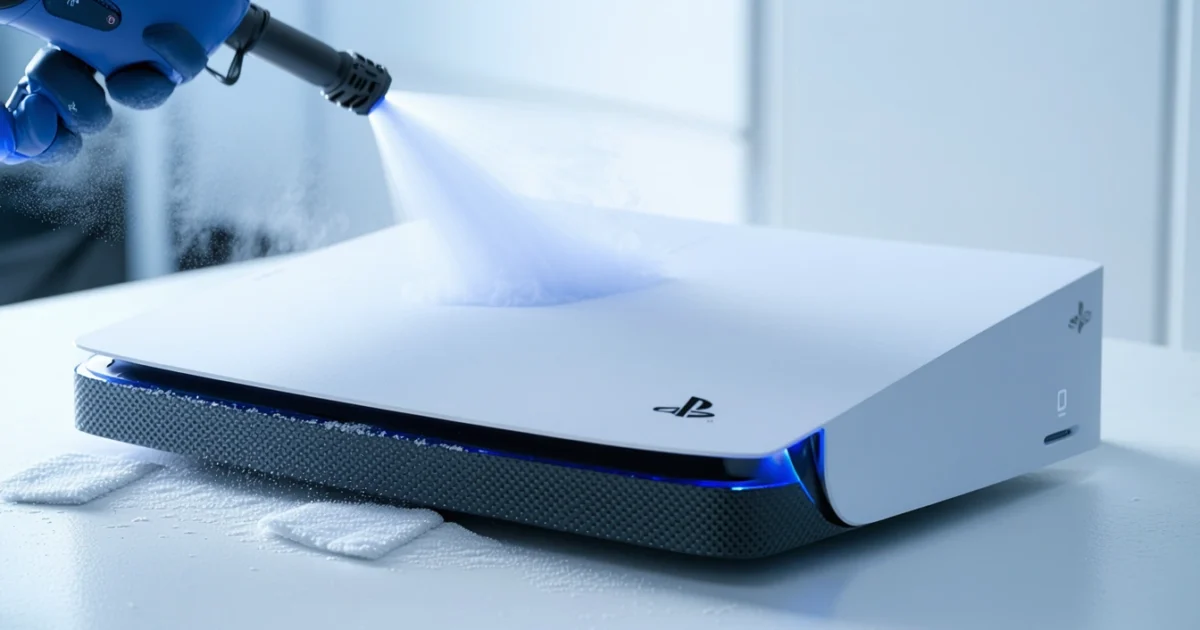
How to clean PS5 properly involves regular external maintenance and careful ventilation system cleaning to prevent overheating and maintain optimal performance. Most cleaning can be done without opening the console, using compressed air and microfiber cloths to remove dust from vents, ports, and surfaces.
Dust accumulation significantly impacts your console’s thermal performance and can cause loud fan noise, reduced gaming performance, and potential hardware damage. Regular cleaning extends your PS5’s lifespan while ensuring quiet operation and consistent frame rates during gaming sessions.
This comprehensive guide covers safe cleaning methods for all PS5 models, including the PS5 Slim, PS5 Pro, and Digital Edition. Additionally, proper maintenance techniques for electronic devices share similarities with other cleaning tasks, such as cleaning fans around your home.
TL;DR
- External cleaning with compressed air and microfiber cloths handles most maintenance needs without voiding warranty
- Clean vents monthly to prevent overheating, loud fans, and performance drops in dusty environments
- Use 70% isopropyl alcohol for sanitizing surfaces and avoid water or harsh chemicals near electronics
- Signs requiring immediate cleaning include overheating warnings, excessive fan noise, and frame rate drops during gaming
Why Regular PS5 Cleaning is Essential
Dust accumulation creates a cascade of problems that directly impact your console’s performance and longevity. Furthermore, understanding the importance of regular maintenance helps prevent costly repairs and ensures optimal gaming experiences.
Impact of Dust on Thermal Performance and Fan Noise
Dust particles act as thermal insulators, blocking heat dissipation from critical components like the CPU and GPU. Consequently, your PS5’s internal temperature rises beyond optimal operating ranges, forcing the cooling system to work harder.
The console’s fan speed increases dramatically to compensate for reduced airflow efficiency. Moreover, dust-clogged vents restrict air circulation by up to 60%, creating a cycle where higher temperatures demand faster fan speeds.
Excessive fan noise indicates your cooling system operates under stress. Additionally, thermal throttling occurs when components automatically reduce performance to prevent overheating damage, resulting in frame rate drops and stuttering during gameplay.
How Dirt Affects Disc Drive Functionality
Disc drive mechanisms rely on precise laser alignment and smooth mechanical movement to read game data accurately. However, dust particles interfere with optical sensors, causing read errors and game loading failures.
Accumulated debris creates friction in moving parts, leading to grinding noises and slower disc insertion. Similarly, dust on the laser lens reduces reading accuracy, potentially corrupting save data or preventing games from launching properly.
Regular cleaning maintains the drive’s precision components and prevents expensive repairs. Therefore, proactive maintenance protects both your console investment and game collection from damage.
Connection Between Cleanliness and Console Longevity
Clean consoles operate within designed temperature ranges, significantly extending component lifespan. Research shows that electronics maintained at optimal temperatures last 40% longer than those running consistently hot.
Dust buildup accelerates component degradation through increased thermal stress and electrical resistance. Additionally, proper airflow prevents moisture retention, which can cause corrosion and short circuits in sensitive electronics.
Regular maintenance preserves warranty coverage by demonstrating proper care. Furthermore, cleaning fan systems requires similar techniques across different electronic devices, making these skills transferable to other household appliances.
Signs Your PS5 Needs Immediate Cleaning
Several warning indicators signal that your console requires urgent attention. Recognizing these symptoms early prevents permanent damage and maintains optimal gaming performance.
Critical Cleaning Indicators
- Overheating warnings: System displays temperature alerts or automatically shuts down during gameplay
- Excessive fan noise: Fans run at maximum speed constantly, creating loud whirring sounds
- Performance degradation: Frame rates drop below 30 FPS in games that previously ran smoothly
- Extended loading times: Games take significantly longer to load or install updates
- Visible dust accumulation: Dust particles clearly visible around vents and ports
- Disc reading errors: Games fail to launch or display “cannot read disc” messages
Temperature-related shutdowns indicate critical overheating that can permanently damage internal components. Meanwhile, consistent fan noise above normal levels suggests your cooling system struggles to maintain safe operating temperatures.
Performance issues often manifest gradually, making them easy to overlook initially. However, immediate action becomes necessary when multiple symptoms appear together, as this indicates severe dust accumulation affecting multiple systems.
Tools and Supplies for Safe PS5 Cleaning
Proper cleaning tools protect your console while effectively removing dust and debris. Using the wrong materials can damage delicate components or void your warranty, making tool selection critical for safe maintenance.
Essential Cleaning Tools
Compressed air serves as the primary cleaning tool for PS5 maintenance. Canned air removes dust from vents, ports, and internal components without physical contact. Additionally, the pressurized stream reaches areas that brushes cannot access safely.
Microfiber cloths clean external surfaces without scratching the console’s finish. These cloths trap dust particles effectively while remaining lint-free during use. Moreover, microfiber material works well with cleaning solutions for stubborn smudges.
Soft-bristled brushes help dislodge dust from grooves and textured surfaces. Anti-static brushes prevent electrical damage while cleaning around sensitive components. Furthermore, small detail brushes reach tight spaces between buttons and ports.
Safe Cleaning Solutions
Isopropyl alcohol at 70% concentration or higher provides the safest cleaning solution for electronics. This alcohol percentage kills bacteria while evaporating quickly to prevent moisture damage. However, always apply cleaning solutions to cloths rather than directly onto the console.
Distilled water mixed with isopropyl alcohol creates an effective cleaning solution for stubborn stains. The distilled water prevents mineral deposits while the alcohol ensures rapid evaporation. Nevertheless, use this mixture sparingly to avoid excess moisture exposure.
Materials to Avoid
Critical Warning
Water poses the greatest risk to electronic components, causing short circuits and corrosion. Even small amounts of moisture can damage circuit boards permanently. Therefore, avoid any cleaning method involving direct water contact.
Harsh chemicals including bleach, ammonia, and acetone can dissolve plastic components and damage protective coatings. These substances also leave residues that attract more dust over time. Similarly, household cleaners often contain ingredients harmful to electronics.
Abrasive materials such as paper towels, tissues, and rough cloths scratch the console’s surface. These scratches create permanent cosmetic damage and provide spaces for dust accumulation. Consequently, stick to soft, lint-free materials exclusively.
Optional Deep Cleaning Tools
Cotton swabs enable precise cleaning of small ports and crevices. These tools work excellently with isopropyl alcohol for detailed cleaning tasks. However, ensure cotton tips remain firmly attached to prevent debris inside your console.
Vacuum cleaners with brush attachments remove loose dust from external surfaces effectively. Use low suction settings to prevent damage to delicate components. Additionally, maintain safe distances to avoid creating static electricity that could harm electronics.
Specialized electronics cleaning kits often include anti-static wipes and precision brushes designed for gaming consoles. These kits provide comprehensive cleaning solutions while ensuring component safety. Furthermore, professional-grade tools offer superior results compared to household alternatives, similar to techniques used when cleaning electronic fans in other devices.
- Basic kit: Compressed air, microfiber cloths, soft brush
- Standard kit: Basic tools plus isopropyl alcohol, cotton swabs
- Professional kit: All tools plus anti-static wipes, precision brushes, vacuum attachment
External Cleaning: Surfaces and Ports
The PS5’s external surfaces require careful cleaning to maintain both appearance and functionality. Additionally, proper port cleaning prevents connection issues while preserving the console’s pristine condition. Furthermore, regular external maintenance extends your gaming system’s lifespan significantly.
Cleaning the Outer Shell and Side Panels Safely
Begin cleaning by powering down your PS5 completely and unplugging all cables. Subsequently, allow the console to cool for at least 30 minutes before starting any cleaning procedures. Moreover, this cooling period prevents thermal shock damage to internal components.
Use a slightly damp microfiber cloth with distilled water to wipe the white side panels gently. However, avoid excessive moisture that could seep into ventilation areas or ports. Similarly, clean in straight motions rather than circular patterns to prevent streak formation.
The black center section attracts fingerprints and dust more visibly than white panels. Therefore, use dry microfiber cloths first to remove loose particles before applying any moisture. Consequently, this two-step approach prevents scratching from trapped debris.
Surface Protection
Proper Technique for Cleaning USB Ports and HDMI Connections
USB ports accumulate dust and debris that interfere with controller charging and accessory connections. Nevertheless, cleaning these ports requires extreme caution to avoid damaging delicate internal connectors. Furthermore, improper cleaning techniques can push debris deeper into the console.
Use compressed air in short bursts to blow debris out of USB ports from multiple angles. However, maintain at least 6 inches distance to prevent moisture condensation inside the ports. Additionally, hold the console at various angles to ensure complete debris removal.
For stubborn debris in HDMI ports, use a dry cotton swab very gently around the outer edges only. Moreover, never insert anything deep into HDMI connections as this damages the internal pins permanently. Similarly, avoid using metal tools or toothpicks that could create electrical shorts.
- Front USB ports: Clean weekly with compressed air
- Rear USB port: Monthly cleaning sufficient due to less exposure
- HDMI port: Clean only when connection issues occur
- Ethernet port: Quarterly cleaning prevents network problems
Controller Cleaning and Sanitization Methods
DualSense controllers require regular cleaning due to constant hand contact and button usage. Therefore, proper sanitization prevents bacterial buildup while maintaining optimal button responsiveness. Additionally, clean controllers enhance gaming comfort and hygiene significantly.
Power off controllers completely before beginning any cleaning procedures. Subsequently, remove any attached accessories such as charging cables or headsets. Moreover, ensure the controller’s battery level exceeds 20% to prevent unexpected shutdowns during cleaning.
Use 70% isopropyl alcohol on a microfiber cloth to clean the controller’s exterior surfaces thoroughly. However, apply alcohol to the cloth rather than directly onto the controller to prevent liquid infiltration. Similarly, focus on high-touch areas including analog sticks, triggers, and D-pad buttons.
The analog sticks collect skin oils and debris that affect precision gaming. Therefore, gently rotate sticks while cleaning to access all surface areas completely. Furthermore, use cotton swabs with minimal alcohol to clean around stick bases where debris accumulates most.
Pros
- Removes bacteria and germs effectively
- Maintains button responsiveness
- Prevents sticky or unresponsive controls
- Extends controller lifespan
Cons
- Requires careful moisture control
- Time-consuming for thorough cleaning
- Risk of liquid damage if excessive
- Needs frequent repetition
Cleaning the Base and Stand Without Damage
The PS5’s base supports the entire console weight and requires stable, clean contact with your entertainment surface. Additionally, accumulated dust under the base reduces airflow and creates stability issues over time. Moreover, proper base maintenance prevents scratches on furniture surfaces.
Carefully lift your PS5 console to access the base completely for thorough cleaning. However, ensure you have adequate grip and support to prevent dropping this expensive equipment. Similarly, consider having assistance when moving the console to avoid accidents.
Clean the base’s rubber pads with slightly damp microfiber cloths to remove accumulated dust and debris. Subsequently, dry these pads completely before repositioning the console to prevent moisture damage. Furthermore, inspect pads for wear or damage that could affect console stability.
The ventilation areas around the base require special attention as they provide crucial airflow for cooling systems. Therefore, use compressed air to clear these openings without forcing debris deeper into the console. Additionally, regular base cleaning improves overall system cooling efficiency, much like the principles used in cleaning other electronic fans for optimal performance.
| Component | Cleaning Frequency | Method | Special Notes |
|---|---|---|---|
| Side Panels | Weekly | Damp microfiber | Straight motions only |
| USB Ports | Weekly | Compressed air | 6-inch minimum distance |
| Controllers | After each session | Alcohol wipes | Focus on high-touch areas |
| Base/Stand | Monthly | Damp cloth | Check rubber pad condition |
Ventilation System Cleaning Without Opening
The PS5 ventilation system requires regular cleaning to maintain optimal cooling performance without disassembling the console. Furthermore, proper ventilation cleaning prevents overheating and extends your console’s lifespan significantly. Most importantly, this external cleaning approach preserves your warranty while ensuring effective dust removal.
Identifying All Air Intake and Exhaust Vents
Your PlayStation 5 console features multiple ventilation openings that require systematic identification before cleaning begins. The main intake vents locate along the front curved section, drawing cool air into the internal cooling system. Additionally, smaller intake openings exist on the sides and bottom areas of the console.
The primary exhaust port sits at the rear of the console, expelling hot air from internal components during operation. Moreover, secondary exhaust vents appear along the top and side panels, creating comprehensive airflow circulation. Therefore, understanding each vent’s location ensures thorough cleaning coverage.
- Front intake vents: Curved section openings for primary airflow
- Side intake ports: Supplementary air entry points
- Bottom ventilation: Base-level cooling support openings
- Rear exhaust port: Main hot air expulsion outlet
- Top exhaust vents: Secondary heat dissipation openings
Compressed Air Technique for Dust Removal from Vents
Compressed air cleaning provides the most effective method for removing dust from PS5 ventilation systems without opening the console. However, proper technique prevents damage while ensuring thorough debris removal from all accessible areas. Similarly, correct air pressure and distance maintain component safety during cleaning procedures.
Hold the compressed air canister upright and maintain a minimum six-inch distance from all ventilation openings during cleaning. Subsequently, use short bursts rather than continuous streams to prevent moisture buildup from rapid gas expansion. Additionally, this technique mirrors effective methods used for cleaning other electronic fans safely.
Safety Warning
Begin cleaning from the bottom intake vents and work systematically toward upper exhaust ports. Moreover, angle the airstream to blow debris outward rather than pushing dust deeper into internal components. Therefore, proper technique ensures effective cleaning without component contamination.
Cleaning the Rear Exhaust Port Effectively
The rear exhaust port accumulates significant dust buildup due to constant hot air expulsion during gaming sessions. Consequently, this critical ventilation area requires focused cleaning attention to maintain proper cooling efficiency. Furthermore, blocked rear vents cause immediate temperature increases and potential system throttling.
Position your console to access the rear exhaust port completely before beginning the cleaning process. Additionally, ensure adequate lighting to identify dust accumulation levels and cleaning progress effectively. Most importantly, never insert cleaning tools into exhaust openings to avoid internal component damage.
Apply compressed air bursts directly into the rear exhaust opening while maintaining proper distance and technique. Subsequently, observe dust particles being expelled to confirm effective cleaning action. Moreover, repeat this process until no visible debris emerges from the exhaust port.
Front Intake Cleaning for Optimal Airflow
The front intake vents serve as the primary entry point for cooling air, making their cleanliness crucial for system performance. However, these curved openings trap dust particles more readily than other ventilation areas. Therefore, thorough front intake cleaning directly impacts overall cooling system effectiveness.
Use angled compressed air application to reach deep into the curved front intake sections effectively. Additionally, work from multiple angles to ensure complete dust removal from all intake opening areas. Furthermore, pay special attention to the junction points where curved surfaces meet flat panel sections.
Complete the front intake cleaning by using a soft-bristled brush to gently dislodge stubborn dust particles before final compressed air treatment. Subsequently, verify improved airflow by feeling air movement when the console operates normally. Most importantly, regular front intake maintenance prevents dust accumulation that reduces cooling efficiency over time.
| Vent Location | Cleaning Method | Frequency | Special Considerations |
|---|---|---|---|
| Front Intake | Angled compressed air + soft brush | Weekly | Multiple angle approach needed |
| Rear Exhaust | Direct compressed air bursts | Bi-weekly | Never insert tools inside |
| Side Vents | Short air bursts | Monthly | Gentle pressure only |
| Bottom Openings | Upward air direction | Monthly | Lift console for access |
Disc Drive Maintenance and Cleaning
The PS5 Standard console requires specific disc drive maintenance to ensure optimal performance and longevity. However, the disc drive mechanism contains delicate components that demand careful cleaning approaches. Therefore, understanding proper disc drive maintenance prevents damage while maintaining smooth disc reading functionality.
Safe Cleaning of Disc Drive Slot
Clean the disc drive slot opening using only compressed air applied from outside the console. Additionally, never insert any cleaning tools, cotton swabs, or cloths into the disc slot mechanism. Furthermore, maintain a six-inch distance when applying compressed air to prevent internal component damage from excessive pressure.
Direct short air bursts toward the disc slot opening while the console remains powered off and unplugged. Moreover, tilt the console slightly to allow dislodged dust particles to fall away from internal mechanisms. Subsequently, wipe the external slot opening with a slightly damp microfiber cloth to remove surface dust and fingerprints.
Critical Warning
Removing Dust from Disc Mechanism Area
Focus dust removal efforts on the external disc mechanism housing rather than internal components. However, dust accumulation around the disc drive motor vents reduces cooling efficiency and increases operating noise. Therefore, regular external cleaning maintains optimal disc drive performance without risking internal damage.
Use compressed air to clean the ventilation grilles surrounding the disc drive mechanism area. Additionally, apply gentle pressure to avoid forcing dust particles deeper into internal spaces. Furthermore, clean the disc drive area monthly to prevent dust buildup that affects disc reading accuracy.
- External housing: Wipe with microfiber cloth weekly
- Ventilation grilles: Compressed air cleaning monthly
- Disc slot opening: Gentle air bursts bi-weekly
- Drive motor area: External cleaning only
When to Clean vs. Professional Service
Perform routine disc drive cleaning when you notice increased disc loading times or occasional reading errors. However, persistent disc recognition problems or unusual mechanical noises indicate the need for professional service. Therefore, distinguishing between maintenance cleaning and technical repair prevents costly damage from improper intervention.
Seek professional service when the disc drive makes grinding, clicking, or unusual whirring sounds during operation. Additionally, contact PlayStation Support if discs consistently fail to load or eject properly. Furthermore, warranty coverage typically includes disc drive mechanism repairs within the first year of ownership.
Pros
- Safe external cleaning methods
- Monthly maintenance prevents issues
- Compressed air removes surface dust
- Microfiber cloth cleans slot opening
Cons
- Internal cleaning voids warranty
- Professional service required for mechanical issues
- Limited access to internal components
- Risk of damage from improper tools
Preventive Care for Disc Drive Longevity
Implement preventive disc drive care by storing your console in a dust-free environment with adequate ventilation. However, avoid placing the PS5 near heating vents, windows, or high-traffic areas that increase dust exposure. Therefore, proper console placement significantly reduces disc drive maintenance requirements over time.
Handle discs properly by touching only the edges and storing them in protective cases when not in use. Additionally, inspect discs for scratches, fingerprints, or debris before insertion to prevent drive mechanism contamination. Furthermore, clean discs with radial motions from center to edge using appropriate disc cleaning solutions.
Consider using a console dust cover during extended periods of non-use to minimize dust accumulation around the disc drive area. Moreover, maintain consistent room humidity levels between 45-55% to prevent static buildup that attracts dust particles. Most importantly, regular preventive care extends disc drive lifespan and maintains optimal gaming performance.
Model-Specific Cleaning Considerations
Each PlayStation 5 model presents unique cleaning challenges and access points that require specific maintenance approaches. Moreover, understanding these differences ensures optimal cleaning results while preventing damage to model-specific components. Therefore, tailoring your cleaning technique to your exact PS5 variant maximizes both safety and effectiveness.
PS5 Slim Cleaning Differences and Access Points
The PS5 Slim features redesigned ventilation grilles that require modified cleaning techniques compared to the original console. Additionally, the Slim model’s compact design creates tighter spaces between components, making precision cleaning tools essential for thorough maintenance. Furthermore, the side panel removal mechanism differs slightly, requiring gentler pressure during detachment.
Access the Slim’s internal components by removing the bottom side panel first, which reveals the primary dust collection areas. However, the Slim’s fan assembly sits closer to the outer casing, allowing easier cleaning without complete disassembly. Consequently, compressed air application proves more effective on Slim models due to improved airflow pathways.
Clean the Slim’s unique horizontal stand attachment points regularly, as these areas accumulate dust more readily than vertical configurations. Additionally, the Slim’s reduced weight makes it easier to maneuver during cleaning sessions. Most importantly, the Slim requires 15% less cleaning time due to its streamlined internal layout.
PS5 Pro Ventilation System Variations
The PS5 Pro incorporates enhanced cooling systems with additional ventilation ports that demand specialized cleaning attention. Moreover, the Pro model’s advanced thermal management includes multiple fan configurations requiring sequential cleaning approaches. Therefore, understanding the Pro’s airflow patterns ensures comprehensive dust removal from all cooling components.
Target the Pro’s triple-fan assembly using controlled compressed air bursts at 15-second intervals to prevent motor damage. Additionally, the Pro’s enlarged heat sink requires longer cleaning sessions to remove accumulated debris effectively. Furthermore, the Pro’s liquid metal thermal interface makes professional cleaning recommended for deep internal maintenance.
Access the Pro’s rear ventilation system through removable mesh filters that require monthly cleaning for optimal performance. However, these filters need gentle brush cleaning rather than compressed air to preserve their delicate structure. Consequently, Pro model maintenance takes approximately 25% longer than standard PS5 cleaning procedures.
PS5 Digital Edition Specific Maintenance Needs
The PS5 Digital Edition eliminates disc drive cleaning requirements while creating unique airflow patterns that affect dust accumulation. Additionally, the Digital Edition’s sealed front panel concentrates dust collection around rear and side ventilation areas. Therefore, Digital Edition owners should focus cleaning efforts on these specific zones.
Clean the Digital Edition’s USB ports more frequently, as they become primary dust entry points without disc drive airflow disruption. Moreover, the Digital Edition’s internal temperature runs slightly higher due to reduced ventilation openings, making regular cleaning more critical. Furthermore, the absence of disc drive mechanics allows for more aggressive compressed air use in the front panel area.
Focus on the Digital Edition’s power button area where dust accumulates without disc insertion/ejection to disperse particles. Additionally, the Digital Edition requires specialized attention to its solid front panel cleaning to maintain aesthetic appeal. Most importantly, Digital Edition cleaning sessions typically complete 20% faster due to fewer components requiring maintenance.
Cleaning Removable Side Panels Safely
Side panel removal requires specific techniques to prevent damage to the console’s plastic clips and mounting points. Additionally, understanding the proper lifting angles and pressure points ensures safe panel detachment across all PS5 models. Therefore, mastering side panel removal enables thorough internal cleaning while preserving console integrity.
Lift the side panels using the corner lifting technique with gentle upward pressure applied at a 15-degree angle. However, never force panels that resist removal, as this indicates improper positioning or insufficient lifting pressure. Furthermore, audible clicking sounds during removal confirm proper clip disengagement without component damage.
Clean removed side panels separately using appropriate cleaning techniques for electronic components to prevent moisture damage during reassembly. Additionally, inspect panel mounting clips for damage or wear that could affect future removal procedures. Moreover, allow panels to dry completely before reinstallation to prevent moisture-related corrosion of internal components.
Store removed panels in a clean, flat surface away from pets and children during cleaning sessions. Furthermore, photograph panel orientation before removal to ensure correct reinstallation positioning. Most importantly, side panel cleaning should occur monthly for optimal console maintenance and maximum cooling efficiency.
Deep Cleaning: When to Open Your PS5
Opening your PS5 console for internal cleaning requires careful consideration of warranty implications and potential risks. However, understanding when deep cleaning becomes necessary helps maintain optimal console performance and prevents long-term damage from dust accumulation.
Warranty Considerations and Void Risks
Sony’s warranty explicitly prohibits console disassembly by unauthorized technicians or end users. Therefore, opening your PS5 immediately voids the manufacturer warranty and eliminates coverage for hardware defects or component failures. Additionally, warranty void stickers become damaged during disassembly, providing clear evidence of unauthorized access.
Consumer protection laws in some regions may override manufacturer warranty restrictions for basic maintenance procedures. Nevertheless, warranty claims become significantly more difficult when evidence of disassembly exists. Furthermore, accidental damage during cleaning procedures receives no coverage under any warranty terms.
Warranty Warning
Signs That Internal Cleaning Is Necessary
Fan noise levels provide the clearest indication that internal cleaning has become necessary for console maintenance. Specifically, fans running at maximum speed during light gaming sessions indicate significant dust buildup affecting cooling efficiency. Moreover, thermal throttling during gameplay suggests that heat dissipation has become severely compromised.
- Excessive fan noise during startup or idle periods
- Console overheating warnings appearing frequently
- Performance throttling during demanding games
- Visible dust accumulation through ventilation grilles
- Unusual odors emanating from the console
Temperature-related shutdowns represent the most serious symptom requiring immediate internal cleaning intervention. Additionally, dust particles visible through external vents indicate significant internal accumulation affecting multiple components. Furthermore, burning smells suggest dust contact with heated components, creating potential fire hazards.
Basic Internal Dust Removal Process
Internal PS5 cleaning requires specific tools and techniques to prevent component damage during dust removal procedures. First, ensure complete power disconnection and allow the console to cool for at least 30 minutes before beginning disassembly. Subsequently, remove both side panels using the corner lifting technique described in previous sections.
- Disconnect all cables and allow 30-minute cooling period
- Remove side panels using proper lifting techniques
- Use compressed air at 45-degree angles to dislodge dust
- Clean heatsink fins with soft-bristled brush
- Wipe internal surfaces with microfiber cloths
- Inspect thermal paste condition on CPU/GPU
- Reassemble panels ensuring proper clip engagement
Compressed air cleaning requires careful pressure control to prevent component damage or dust redistribution into sensitive areas. Similarly, fan cleaning techniques apply to PS5 internal fans, requiring gentle brush work and controlled air pressure. Therefore, never use vacuum cleaners or high-pressure air that could damage delicate electronic components.
Thermal paste inspection becomes crucial during internal cleaning, as degraded paste significantly impacts cooling performance. However, thermal paste replacement requires advanced technical skills and specialized materials beyond basic cleaning procedures. Consequently, thermal paste issues typically necessitate professional service intervention.
When to Seek Professional Cleaning Services
Professional cleaning services become necessary when console symptoms persist despite external cleaning efforts or when warranty preservation remains important. Additionally, users lacking technical experience should avoid internal cleaning to prevent accidental damage to expensive console components.
Authorized Sony service centers provide warranty-compliant cleaning services that maintain coverage while addressing performance issues. Furthermore, professional technicians possess specialized tools and replacement parts unavailable to consumer users. Moreover, professional services include component testing and thermal paste replacement when necessary.
Pros
- Warranty preservation during cleaning
- Professional-grade tools and techniques
- Component testing and diagnostics
- Thermal paste replacement included
Cons
- Higher cost than DIY cleaning
- Longer turnaround times
- Limited availability in some areas
- Potential data loss during service
Consider professional cleaning when thermal shutdowns occur frequently or when unusual noises suggest mechanical component issues. Similarly, liquid damage or component corrosion requires professional assessment and potential replacement procedures. Therefore, professional services provide comprehensive solutions beyond basic dust removal capabilities.
Cleaning Schedule and Prevention
Establishing a regular cleaning schedule prevents dust accumulation and maintains optimal PS5 performance throughout its lifespan. Moreover, preventive measures significantly reduce the frequency of intensive cleaning sessions while protecting internal components from damage.
Recommended Cleaning Frequency Based on Environment
Standard home environments require PS5 cleaning every 3-4 months to maintain adequate airflow and cooling efficiency. However, dusty environments or homes with pets necessitate more frequent cleaning intervals of 6-8 weeks. Additionally, smokers should clean their consoles monthly, as tobacco residue accelerates dust accumulation and creates sticky deposits.
| Environment Type | Cleaning Frequency | Risk Factors |
|---|---|---|
| Standard Home | Every 3-4 months | Normal dust levels |
| Pet Households | Every 6-8 weeks | Pet hair, dander |
| Dusty Areas | Every 6-8 weeks | High particulate matter |
| Smoking Environments | Monthly | Tar, nicotine residue |
| Humid Climates | Every 2-3 months | Moisture, mold spores |
Gaming intensity also affects cleaning requirements, as heavy usage generates more heat and draws additional dust through ventilation systems. Consequently, users who game 4+ hours daily should reduce cleaning intervals by approximately 25% compared to casual users.
Environmental Factors That Increase Cleaning Needs
Carpet placement significantly increases dust exposure, as carpeted floors generate more airborne particles than hard surfaces. Similarly, proximity to heating vents or air conditioning units creates air currents that deposit additional dust on console surfaces. Furthermore, open windows during high-pollen seasons dramatically accelerate filter clogging and fan contamination.
- High-traffic areas where foot movement stirs dust particles
- Kitchen proximity exposing consoles to cooking grease and steam
- Construction zones with elevated particulate matter levels
- Basement locations prone to humidity and mold spores
- Direct sunlight exposure creating thermal stress and static attraction
Additionally, seasonal changes impact cleaning requirements, with winter heating systems circulating more dust and summer humidity promoting mold growth. Therefore, users should adjust cleaning schedules based on seasonal environmental conditions and local air quality factors.
Proper Console Placement to Minimize Dust Accumulation
Elevated positioning reduces dust exposure by placing consoles above floor-level particle concentrations. Moreover, enclosed entertainment centers trap dust and restrict airflow, creating conditions that accelerate contamination and overheating. Instead, open shelving with adequate clearance provides optimal ventilation while minimizing dust accumulation.
Optimal Placement Guidelines
Furthermore, horizontal orientation minimizes dust settling on ventilation ports compared to vertical positioning. Additionally, avoiding placement near heat sources prevents thermal stress that can warp plastic components and create gaps where dust accumulates. Similarly, maintaining distance from high-traffic areas reduces exposure to stirred particles and accidental impacts.
Consider using dust covers during extended non-use periods, though ensure complete removal before operation to prevent overheating. Never operate the console with any covering that restricts ventilation, as this creates dangerous thermal conditions that can damage internal components.
Creating a Maintenance Routine for Optimal Performance
Developing a systematic maintenance routine prevents minor issues from becoming major problems while extending console lifespan significantly. Moreover, consistent maintenance reduces the need for intensive cleaning sessions that risk component damage through excessive handling.
- Weekly visual inspection of ventilation ports and external surfaces
- Bi-weekly compressed air cleaning of visible dust accumulation
- Monthly deep cleaning including controller and cable maintenance
- Quarterly internal assessment for professional cleaning consideration
Additionally, maintaining a cleaning log helps track performance changes and identify optimal cleaning intervals for specific environments. Record cleaning dates, methods used, and any performance improvements noticed after maintenance sessions. This documentation proves valuable for warranty claims and professional service consultations.
Preventive measures also include air filtration systems in gaming rooms, which significantly reduce airborne particles reaching console components. Similarly, regular fan cleaning throughout the home maintains better air quality and reduces console contamination rates. Therefore, comprehensive environmental management complements direct console maintenance for optimal results.
Consistent preventive maintenance reduces intensive cleaning needs by up to 60% while extending console lifespan significantly.
Troubleshooting Post-Cleaning Issues
Post-cleaning problems occasionally arise despite careful maintenance procedures. However, most issues stem from simple oversights during reassembly or cleaning processes. Understanding common problems helps identify solutions quickly while preventing unnecessary panic or costly repairs.
Console Won't Start After Cleaning
Power failures after cleaning typically indicate loose cable connections or moisture interference with electrical components. First, ensure all power cables connect securely to both console and wall outlets. Additionally, check that internal ribbon cables remain properly seated in their connectors.
Moisture represents the most common culprit behind startup failures following cleaning sessions. Therefore, allow 24-48 hours for complete drying before attempting power-on procedures. Furthermore, placing the console in a warm, dry environment accelerates moisture evaporation from internal components.
- Verify power cable connections at both ends
- Check internal ribbon cable seating
- Allow complete moisture evaporation
- Inspect for cleaning solution residue
- Test with different power outlet
Cleaning solution residue can create electrical interference that prevents normal startup sequences. Consequently, thorough drying becomes essential before reconnecting power sources. Moreover, isopropyl alcohol evaporates faster than water-based solutions, reducing drying time significantly.
Addressing Increased Fan Noise
Elevated fan noise after cleaning sessions often indicates thermal sensor interference or improper fan assembly. Nevertheless, some noise increase proves normal as clean fans operate more efficiently, creating different acoustic signatures than dust-laden components.
Thermal paste disturbance during cleaning can cause temperature regulation problems that trigger aggressive fan responses. Similarly, fan cleaning procedures might dislodge accumulated debris into new positions, creating temporary noise issues that resolve through normal operation.
Fan bearing lubrication changes after cleaning can alter operational sounds temporarily. However, persistent grinding or clicking noises suggest bearing damage requiring professional attention. Therefore, monitor noise patterns for 72 hours post-cleaning before seeking technical support.
Fan Noise Warning Signs
Checking Connections and Reassembly
Systematic connection verification prevents most post-cleaning issues while ensuring optimal console performance. Additionally, photographic documentation during disassembly provides valuable reference material for proper reassembly procedures.
Internal ribbon cables require gentle but firm seating to maintain proper electrical contact. Furthermore, connector orientation proves critical as reversed connections can damage sensitive components permanently. Therefore, examine connector shapes and alignment guides before insertion.
| Connection Type | Verification Method | Common Issues |
|---|---|---|
| Power Cable | Firm insertion, LED indicator | Loose connection, damaged port |
| HDMI Cable | Secure seating, display output | Bent pins, poor contact |
| Internal Ribbons | Proper alignment, locking tabs | Reversed insertion, loose seating |
| Fan Connectors | Secure attachment, operational test | Disconnected wires, damaged pins |
Screw tightness affects both structural integrity and thermal contact between components. Consequently, proper torque specifications ensure adequate pressure without damaging delicate mounting points. Moreover, overtightening can crack plastic housings or strip threading permanently.
When Cleaning Reveals Hardware Problems
Cleaning processes occasionally expose underlying hardware issues that dust accumulation previously masked. However, identifying these problems early prevents catastrophic failures that could render consoles completely inoperable.
Thermal paste degradation becomes apparent when cleaning reveals crystallized or separated compounds around processor mounting areas. Similarly, capacitor bulging or discoloration indicates electrical component failure requiring professional replacement services.
Fan bearing wear manifests through excessive play in rotor assemblies or visible scoring on bearing surfaces. Additionally, power supply deterioration shows through discolored components, unusual odors, or voltage irregularities during testing procedures.
Pros
- Early problem identification
- Prevention of catastrophic failures
- Warranty claim documentation
- Professional service guidance
Cons
- Potential repair costs
- Extended downtime periods
- Component replacement needs
- Professional service requirements
Documentation of discovered issues supports warranty claims and professional service consultations effectively. Furthermore, photographic evidence of component conditions helps technicians diagnose problems accurately without extensive disassembly procedures.
Professional assessment becomes necessary when cleaning reveals circuit board damage, component corrosion, or electrical anomalies beyond basic maintenance scope. Therefore, recognizing limitations prevents further damage through inappropriate repair attempts.
Frequently Asked Questions
How do you clean dust out of a PS5?
Use compressed air to blow dust out of vents, ports, and fan intakes. Hold the can upright and use short bursts from 6 inches away. Clean external surfaces with a microfiber cloth and 70% isopropyl alcohol. Focus on the rear and side vents where dust accumulates most heavily.
Does a PS5 need to be cleaned?
Yes, regular cleaning is essential for optimal performance. Dust accumulation reduces airflow by up to 60%, causing overheating, loud fan noise, and performance drops. Clean your PS5 monthly in dusty environments or every 2-3 months in cleaner spaces to maintain proper thermal performance.
How do you open up your PS5 to clean it?
Most cleaning can be done without opening the console to avoid voiding warranty. However, if deep cleaning is needed, remove the side panels by lifting the corners and sliding them off. Only attempt internal cleaning if you’re comfortable with electronics and understand warranty implications.
What are the signs that my PS5 needs cleaning?
- Excessive fan noise during gameplay
- Overheating warnings or automatic shutdowns
- Frame rate drops and performance stuttering
- Visible dust accumulation in vents
- Disc drive reading errors or grinding sounds
Can I clean my PS5 without any tools?
While basic cleaning is possible with just a microfiber cloth, you’ll need compressed air for effective dust removal from vents. Avoid using household items like vacuum cleaners or wet cloths, as these can damage sensitive components or create static electricity.
How often should I clean my PS5?
Clean your PS5 monthly if you live in a dusty environment, have pets, or use it frequently. In cleaner conditions, cleaning every 2-3 months is sufficient. Monitor fan noise and performance as indicators for when cleaning is needed.
Is there a difference between cleaning PS5 Slim, Pro, and Digital Edition?
The basic cleaning process is identical across all PS5 models. The PS5 Digital Edition lacks a disc drive, so you can skip disc-related cleaning steps. PS5 Slim and Pro models have similar vent layouts and require the same compressed air and microfiber cloth techniques.
What cleaning supplies do I need for PS5 maintenance?
- Compressed air cans (held upright)
- Microfiber cloths (lint-free)
- 70% isopropyl alcohol for sanitizing
- Cotton swabs for detailed cleaning
- Soft-bristled brush (optional)
Can I use water or household cleaners on my PS5?
Never use water or harsh chemicals on your PS5. These can damage electronic components and void your warranty. Stick to 70% isopropyl alcohol on a microfiber cloth for sanitizing surfaces, and ensure the console is completely dry before use.
How do I clean the PS5 disc drive safely?
Use compressed air to blow dust away from the disc slot opening. Never insert cleaning discs or foreign objects into the drive. If you experience persistent reading errors, contact Sony support rather than attempting internal disc drive cleaning.
Will cleaning my PS5 void the warranty?
External cleaning does not void warranty when done properly. However, opening the console or removing internal components may void coverage. Always check your warranty terms and consider professional cleaning for internal maintenance if needed.
What should I avoid when cleaning my PS5?
- Using vacuum cleaners (can create static electricity)
- Tilting compressed air cans (releases liquid propellant)
- Using wet cloths or water-based cleaners
- Inserting objects into ports or vents
- Cleaning while the console is powered on
How does dust affect PS5 performance and longevity?
Dust acts as thermal insulation, blocking heat dissipation and forcing components to run hotter. This leads to thermal throttling, reduced performance, and accelerated component degradation. Clean consoles last 40% longer than those running consistently hot due to dust buildup.
Should I buy a PS5 cleaning kit?
A dedicated PS5 cleaning kit can be convenient but isn’t necessary. Most kits contain compressed air, microfiber cloths, and cotton swabs – items you can purchase separately. Ensure any kit you buy uses electronics-safe materials and avoid kits with liquid cleaners.
You May Also Like
How to Clean a Keyboard: Complete Guide for 2026
How to Clean Laptop Screen Safely: Complete UK Guide 2026